Wednesday, June 27, 2007

Curriculum as "Exercise Field" for Human Development


Excerpt from “Turning Water Into Wine: Giving Remote Texts Full Flavor for the Audience of Friends” Journal of College Teaching (forthcoming Spring 2005), by Marshall Gregory, Butler University

http://www.marshallgregory.com/rPed1.htm as of June 27, 2007

"My point is that teachers who love specific kinds of content often misrepresent the kind of usefulness that content will have for most of their students. Mostly, students do not get educated because they study our beloved content. They get educated because they learn how to study our beloved content, and they carry the how of that learning with them in the world as cognitive and intellectual skills that “stick” long after the content is forgotten. In short, the curriculum is not an end in itself. Curricular content is a means to human development. The curriculum is the playing ground, the exercise field, for the development of those human capacities that tend to distinguish human beings as such, and the fullest possible development of which defines the true ends of a liberal education. . . .

"If these are the capacities that mark human beings as such, then these are the capacities that students bring to the table of education, and they are also the capacities the expansion, empowerment, and completion of which constitute the educational end that teachers work toward, or should work toward. Since the failure to develop these capacities constitutes a kind of existential deprivation, the same way that blindness or the loss of a limb, for example, constitutes a physical deprivation, it is appropriate for teachers and students alike to view the kind of education which focuses primarily on the development of basic human capacities as an existential need, and to view curriculum and pedagogy as the primary means of fulfilling that end, or need."

Monday, June 25, 2007

"Paris je t'aime" and Brief Hybrid Workshops

"Paris je t'aime"
18 brief movies (average 6 minutes, many less than 5) one after another, each filmed in Paris, each a complete episode, each having something to do with Paris and with love. The directors, actors, crews had no other obvious limitations and the composite they achieved together is funny, surprising, poignant, and memorable.

Wikipedia (June 24, 2007):
http://en.wikipedia.org/wiki/Paris,_je_t'aime

Official Web Site (June 24, 2007 - according to Wikipedia):
http://www.firstlookstudios.com/pjt/
Watch the trailer! (Just under 2.5 minutes)

The trailer is charming, and only slightly dilutes and misrepresents the quality of the entire movie. Can't blame them too much for trying to use the popularity of Natalie Portman's face as the beginning of the trailer, but this movie absolutely does NOT dwell on her face or any other easy option. Together, the 18 clips offer glimpses and insights into many more dimensions of love than suggested either by the trailer or by my own expectations of what could be done by these filmmakers under these limitations.

When Sally told me she wanted to go to a movie last night and that this was the one, I reluctantly overcame my end-of week lethargy and joined her. Especially after she told me she had already purchased the tickets online. We were a little later than we liked arriving at the theater (parking on a beautiful, warm summer night in Bethesda Maryland was challenging).

Sally went in to get our seats while I waited in line to buy the largest popcorn bag and some bottles of water - and I thought several times about when I would get to the restroom. I decided that I would try to last through the section with Juliette Binoche (one of my favorites - especially since seeing her in Blue) and then would slip out to the bathroom. I didn't expect I would much mind missing one or two episodes.

I joined Sally in the theater just in time for the beginning. Juliette Binoche was not in the first few. But I never thought again of leaving my seat. Each clip was complete. Some were quite funny. Many were poignant. Some were powerful, memorable, surprising.

In the last year I've become obsessed with the educational potential of "Brief Hybrid Workshops" - combinations of brief "eClips" with face-to-face or online synchronous interactions. By "eClips" I mean multimedia recordings available via the Web. We're combining the new power, availability, ease of use, and low price (much free) of new tools and resources for producing and publishing eClips with Todd Zakrajsek's idea of "5-Minute Workshops". Visit our growing set of ideas and resources and links to some great examples about Brief Hybrid Workshops at http://www.tltgroup.org/tlt5.htm

"Paris je t'aime" demonstrates the remarkable variety and power of what can be communicated in a few minutes by talented people. I don't expect that our educational "brief hybrid workshops" can often achieve anything close to this level, nor do we need to. But if we move even a little in this direction, we will achieve a lot!

I hope you will be inspired - not daunted - by the quality and variety of episodes in "Paris je t'aime," to join our work on Brief Hybrid Workshops.

Please send more examples of brief, effective "eClips" or ideas for using such things for educational purposes - especially to help with enabling and encouraging faculty members to take advantage of new opportunities to improve teaching and learning with technology.

Send to gilbert@tltgroup.org or, better, add a comment to this posting - click on "comment" below. Please include your email contact info so that we can invite you to introduce your idea in one of our online sessions!

Sally and I are going to return to see "Paris je t'aime" again soon - maybe tonight.

Hope you enjoy it, too - soon!

SteveG

Thursday, June 14, 2007

Improving Large Enrollment Courses - Issues?

Some years ago, Ron Bleed of the Maricopa Community Colleges pointed out that a few multi-section large enrollment courses accounted for a surprisingly large share of his colleges' enrollments. It's likely that, at many institutions, these courses (often introductory) are also crucial for whether students become increasingly engaged, or leave the institution.

Large enrollment courses have been at the focus of institutional efforts to improve quality and retention while controlling costs for a long time. Textbooks and lecture halls were early strategies for putting more students in reach of a teacher while, ideally, investing at least some of the savings in assuring that the instructional message was unusually engaging. The Open University in Great Britain developed an even more capital-intensive strategy to enable huge numbers of adult learners across the country, and around the world, to get a quality education at a time when few dollars per student were available to pay the price; their strategy has worked well. In the 1980s and 1990s, Annenberg/CPB invested of millions of dollars into this industrial model (capital investment that could improve quality and accessibility while lowering operating costs): the result included pioneering course materials such as "French in Action" and "The Mechanical Universe." The National Center for Academic Transformation has been a leader in collecting some technology-enabled approaches to redesign. Initiatives such as these have drawn attention because they've had money to solicit proposals and because of their uses of technology.

As I learned while a staff member at Annenberg/CPB, this capital intensive strategy has real potential for improving large enrollment courses, and equally serious limitations. The instructional materials embody the time, place, culture, and teaching approach of their designers, so they are vulnerable to change. Institutions and funders sometimes buy into this strategy because they assume that the high start-up costs can be amortized over 5-10 years of students. Then they're often dismayed to find that expensive upgrades or rebuilding of materials are needed because of changes in the discipline or world events, changes in underlying technology, or simply changes in who's in charge.

Another family of strategies for improving large enrollment courses are less vulnerable to these changes because their initial startup costs are lower than the capital intensive strategies. Some of these are 'cellular' - they increase interaction among very small groups of students (e.g., pairs of students) even in lecture courses of several hundred students. Personal response systems have been quite useful for that purpose. Another, less technical strategy, is to divide a large enrollment course into sections by the educational aims of the students, e.g., dividing a biology course into sections for premeds, prenursing, engineers, teacher ed majors, and so on; each section might use similar materials but their instructors would be prepared to lead discussions and give assignments tailored to the needs of that particular type of student.

Another family of strategies aims to improve the whole large course. For example, some faculty make exceptional use of diagnostic assessment approaches such as Classroom Assessment Techniques (Cross and Angelo). For example, a faculty member might do a diagnostic assessment of students as they enter the course, looking at their needs, goals, or even their personalities. Using the results the faculty member assembles a group of students, and meets with this group every week to discuss the events of the previous week, and plans for the next week. A few of the students in the group are chosen because they are typical of the whole class. The rest are chosen because each of them, in a different way, exemplifies a type of student who is unusual in the larger course. In other words, this small group of students is selected to represent the full diversity of the learners in the large course. The faculty member uses this group to see how the course is working for each of them, and all of them, and to discuss ways of making the course more effective for all of them. The approach, originally developed by Joseph Katz and Mildred Henry of SUNY Stony Brook, is called Paideia.

What families of approaches have you tried, or seen, for improving learning in large-enrollment courses (courses with 100+ students in one or more sections)?

Wednesday, June 13, 2007

What is Your 8th Principle?


What is the 8th Principle for Improving Undergraduate Education? Caring, Authenticity, Loving to Learn, Reflection...?

FridayLive! June 15, 2007 2PM EDT
Online Registration - free, but required in advance

Moderator: Steven W. Gilbert, President, TLT Group

Guests: Karen Casto, Kathleen Young, Western Wash. Univ.

We're not really proposing to extend the classic Seven Principles of Good Practice in Undergraduate Education, but we do hope to engage people in thinking about what they might add to make the original seven more applicable to themselves, to these times, to their own experience, to their own institutions.

I've already used this activity quite successfully on some campuses, and I've begun to collect some interesting nominations for 8th Principles: Caring, Authenticity, Loving to Learn, Reflection, etc.
What are your suggestions? Click here to add your nomination for an 8th Principle.

In this June 15, 2007 FridayLive! session I'll be leading a discussion - both online and involving anyone who joins me on the Earlham campus.

We'll begin with a very brief review of Chickering & Gamson's Seven Principles of Good Practice in Undergraduate Education. We'll "play" a couple of pre-recordings (each less than 5 minutes) of comments that might inspire a variety of new "nominations" for the 8th Principle. This session is intended to provide and demonstrate a way of inviting people to think more deeply than usual about their own values, priorities and goals for education, for teaching and learning - and the role of technology.

One of the remarkable "clips" we'll play is "Attending Genocide Conference" by Kathleen Young of the Anthropology Dept., Western Wash. Univ. "http://pandora.cii.wwu.edu/showcase2005/young/showcase3.htm" - about 4.5 minutes. Young describes taking some of her undergrad students to the International Genocide Conference in Sarajevo in 2005. The video-recording is embedded in a Website and related portfolio of materials (including student essays both text and photographic). See one of the student essays by clicking on "Because I was there" at http://pandora.cii.wwu.edu/showcase2005/young/default.htm.

Another clip - perhaps an even more personal comment - "How I came to teach the holocaust" - a 2.5 minute YouTube eClip produced by Cayo Gamber, Univ. Writing Program, Geo. Wash. Univ.


I hope you'll be joining one of the activities described above!

Steve Gilbert


Tuesday, June 12, 2007

Constructive Criticism - Podcasts, eClips, Hybrid Workshops

Helping Colleagues Improve Podcasts, eClips, and Brief Hybrid Workshops

Guidelines for:
1. Author/originator who is going to ask someone else for constructive feedback
2. Someone who has been asked to give helpful feedback


Google Document - where we're building lists for guidelines (send email to star@tltgroup.org if you would like to be added as a "collaborator" so you can edit; otherwise, if you wish to add a comment, do so at the bottom of this blog posting)
Web Page - for same topic

Thoughtful comment from Cindy Russell, UTHSC (visit her valuable blog, web pages!):

Some of what I started thinking about as I looked at the above (comprehensive, certainly) is that beauty/evaluation is in the eye of the beholder. Too many words for some are not enough for others. Evaluators are crucial to select correctly - but evaluators can't be all like the developer of the clip. If they are, then the thoughts may be too similar and there won't be sufficient diversity in the evaluative comments. I wonder if part of what I'm struggling with is how many different versions/variations on the delivery of material we need. Not the difference between a YouTube and a Google video. But the difference between a video, a text page (with and without screenshots), audio only, a website with additional links, etc... There will always be "power" users who just need a bullet-pointed list of items and they're good to go. There will always be some folks who need the very complete version - and still want more. I struggled with this when I created the Audioclips site (http://technology-escapades.net/?q=node/22). And I still think I need to do something different with the content.

One of the things that I also struggle with is the narrative overload of a lot of what we do. It's a real challenge. I think it can be a turnoff for some people as they may think "if it takes that many words to say it, then it's too complex for me." While I'd never want to prevent anyone from entering any portion of a site that they wanted to explore, sometimes I think it can be overwhelming to people and then they stop instead of doing something more/different. Solutions????? -CynthiaKRussell 6/9/07 8:24 AM

Monday, June 04, 2007

Quick Start - Introduce Yourself - Self-Introducing eClips - Fundamental Questions (4-min audio incl.)

Play Steve Gilbert's sample self-introducing 4-minute eClip. Produce your own by using the Quick Start directions or other supportive materials. Add the URL for your own version as a comment to this blog posting - see below! Note that by doing this you are making your info accessible to anyone who might stumble upon it in the Internet, so please don't include anything that you don't want "public."

I look forward to "meeting you" or getting to know you a little better through your first eClip!

Steve Gilbert

NOTE: MORE DETAIL THAN YOU PROBABLY WANT OR NEED ABOUT HOW TO LEAVE A COMMENT HERE
To be sure we receive your comment, click on one of the options below the box in which you entered your comment. Then type in the letters that you see in the weird script in the most obvious place - the "word verification" box. THEN CLICK ON "LOG IN AND PUBLISH" - DON'T WORRY ABOUT THE "LOG-IN" PART. You do NOT need to have a Blogger account to leave a comment. If you wish to comment anonymously, click in the circle to the left of that option. If you want to avoid getting a Blogger account, but want to indicate who you are, add your name and contact info WITHIN your "comment" and then choose the "anonymous" option.

Saturday, June 02, 2007

PowerPoint - Useful How-To References for Educators

Most people in higher education already have access to and some experience with PowerPoint, although most have not gone deep enough into PowerPoint's capabilities to realize what a powerful, rich tool it is. Please click on "comments" or "post a comment" just below this posting to leave your suggestions for other resources about good educational uses of PowerPoint. See more detail than you probably want or need about how to ensure we receive your comment/suggestion at the very end of this posting in italics. Thanks for your help! Steve Gilbert

Here are some useful references (URLs working well as of 6/2/2007) about how to use PowerPoint for educational purposes:

  • "STEVEN BELL'S PowerPoint and Presentation Skills Resource Page"

  • "Improving Your Use of Presentation Software: A Flashight Resource" from Steve Ehrmann, the TLT Group

  • "Evaluating Student PowerPoint Presentations" from Claremont McKenna College Teaching Resource Center

  • TFPL Blog Posting "Using PowerPoint"
  • "5 Things About PowerPoint" by Russell Davies. 8.5 minutes YouTube video. You'll know immediately whether you find this very home-video style charming or irritating. I found it charming, esp. when Davies young son Arthur introduces himself. More important, several solid suggestions about planning a PowerPoint presentation - including the idea of "cutting it in half" when you're near the end of your editing process. - Steve Gilbert 6/2/2007
  • "Active Learning with PowerPoint" from U. Minnesota Center for Teaching and Learning. Much of this is really good BUT PLEASE DO NOT CONTINUE THIS PRACTICE OF HAVING THE MEDIUM CONTRADICT THE MESSAGE! Lots of ideas, references, "tutorials". Note that most of the tutorials are brief talking head video clips with some audio "clipping" - and some appear to have been made with the speaker standing in the corner of a men's restroom. No examples of PowerPoint USED! Why would thoughtful, helpful people produce materials that are almost entirely either straight text (Web pages), lists of references, and low-quality talking head videos WHEN THEY ARE TRYING TO TELL US ABOUT HOW TO USE POWERPOINT FOR ACTIVE LEARNING?

NOTE: MORE DETAIL THAN YOU PROBABLY WANT OR NEED
To be sure we receive your comment, click on one of the options below the box in which you entered your comment. Then type in the letters that you see in the weird script in the most obvious place - the "word verification" box. THEN CLICK ON "LOG IN AND PUBLISH" - DON'T WORRY ABOUT THE "LOG-IN" PART. You do NOT need to have a Blogger account to leave a comment. If you wish to comment anonymously, click in the circle to the left of that option. If you want to avoid getting a Blogger account, but want to indicate who you are, add your name and contact info WITHIN your "comment" and then choose the "anonymous" option.

CheatSheet for LecShare Pro
Begun 3/29/07 Steven W. Gilbert
All other contributions, amendments welcome!

Intro

I've just begun using LecShare Pro - recommended by Norm Coombs - and I'm VERY excited about some of its capabilities and features.

  • Basically, it supports attaching audio files to PowerPoint slideshows.
  • It is VERY easy to use. It is inexpensive.
  • It almost forces the user to make the result accessible to those who use screen reader software and/or have visual disabilities.
  • It enables automatic production of several different versions in a variety of useful formats for display and use on the Web or distribution.

Help/Support

Help files for LecShare can be found at http://www.lecshare.com/help/index.html

Steve -- for newbies like me, we might want to include a basic intro on all our CheatSheets that included answers to questions like: 1. How much does it cost? 2. Where do I get it? 3. How much memory will it take on my machine (if any)? 4. Any danger of it bringing in viruses? 5. Maybe-- we want to give it a "learning curve" ranking -- easy climb, moderate grade, steep?? (BH) Great suggestions Bonnie! (swg)

However, like most software, I'm finding I need to learn a few "little" things to enable me to use it smoothly and quickly. Hence, I'm beginning another of our CheatSheets - as a Google Docs document so others can help develop this. The goal is NOT to reproduce help and FAQ services avail from LecShare. But we can provide a summary (list) of what issues are covered in the HELP material. See Google Docs format. (BH) yes! Ideally, I'd like to end up with a version of this CheatSheet that can easily be printed on a single standard sheet of paper for easy reference. I hope you will try LecShare, and add your own findings and recommendations to this CheatSheet.

Thanks,

SteveG

PS: I'm including Greg Kraus from LecShare as a collaborator on this document because he has already been so helpful enabling me to produce MP3 files!

Questions (Post a Questions here:)

  1. Question: Should we include info here about using LecShare Pro to produce a file that can be uploaded into YouTube and what then becomes possible?
    See examples of YouTube usage based on export file results from LecShare Pro : http://www.tltgroup.org/TLT5.htm#Learning%20Space
    E.g., You can use the exported MP4 file NOT the QuickTime HTM file...
    Here's what the code for an inserted "screen" from YouTube looks like - can be pasted almost anywhere on a Web page; size is determined by the 2 pairs of numbers and to change the size you should change both sets in the same way at the same time (e.g., from two pairs of 400 & 300 to two pairs of 300 & 280; try to keep the ratio about the same)

  • Here's a sample of a link to the file in YouTube http://www.youtube.com/watch?v=ZjeJZEpegac00
  • Here's a sample of the code to insert to get the little screen to show up on the iVoc "this week" page (smaller screen than last time - on purpose)

<object width="300" height="280"><param name="movie" value="http://www.youtube.com/v/ZjeJZEpegac"></param><embed src="http://www.youtube.com/v/ZjeJZEpegac" type="application/x-shockwave-flash" width="300" height="280"></embed></object>


Safety First - Changing Slides, Audio AFTER Creating Slideshow with LecShare Pro
Safest way to make changes in individual slides or individual audio clips AFTER using LecShare Pro to create a synchronized slideshow seems to be
1. start with a fresh PPT file
2. make changes to individual slides - including deleting and re-ordering as well as adding new ones
3. edit any audio clips that are going to be imported/synchronized
4. begin using LecShare Pro. Open the PPT file. Import any new versions of the audio to the specific slides.

What LecShare Pro does to/with audio
When you begin to create a new LecShare Pro audio-narrated slideshow, the first step is to open a PowerPoint file from within LecShare Pro (> File > Open). When LecShare Pro opens that file, it automatically creates a new file with the same name as that PowerPoint file, but with the extension ".mov" instead of ".ppt". The new file is automatically placed in the same folder as the original PowerPoint file. From this moment forward, all editing info and adjustments made by using LecShare Pro are stored as modifications to the .mov file and/or the .ppt files with the same name. Regardless of whether you record new audio within LecShare Pro or import audio files from elsewhere for this new narrated slideshow, the sound that will be heard by anyone "playing" the resulting slideshow is stored within that .mov file.

Note: seems that there are only 2 import options: One file for the entire slideshow OR one file for one slide. I don't think it is possible to import one audio for 3 slides... but ...???

Clearing Changes that LecShare Pro Makes to a PowerPoint File
As soon as you begin taking any action at all with LecShare Pro after using it to open a PowerPoint file, it begins making modifications to that file. If you might want to do something else with that PPT file, it is a good idea to make a copy of it which you save in a different folder. To be completely safe, save it with a different name. Do that BEFORE you begin using LecShare Pro on it. [Greg: Maybe LecShare Pro should remind/prompt users to do this or make it happen automatically as part of the process of opening that PPT ]file.
There is a "Clear PowerPoint" option under the "Edit" menu in LecShare Pro. Click on that and choose which of the kinds of info that were created by LecShare Pro WITHIN that PPT file should be removed. If you clear everything, the PPT file returns to its original condition (truly?).

Being Careful About Synchronization of PowerPoint and .mov files

LecShare Pro modifies the PPT file and creates a .mov file so that each includes info that is essential to the synchronized result.

Therefore, doing anything likely to change that info in one of the files without changing the other accordingly can disrupt the synchronization (and changing the location or name of one of the files will also be disruptive). This means that making changes to either file OUTSIDE of LecShare Pro can be risky. LecShare Pro can detect when the .mov file is no longer located where it was originally and LecShare Pro tries to guide the user to find that file in its new location and enable LecShare Pro to remake the connection. NOTE: The user may find that LecShare Pro SEEMS to be asking to locate an audio file with a peculiar name - but what it really wants is the location of that original .mov file. (truly?)


Multiple Versions of Presentations

- Each a modification of the same original PowerPoint file with different narration

If you know ahead of time that you are going to be making multiple versions of a presentation, each with different audio, it would be best to make a copy of the PPT file before adding any audio. You could add the accessibility info in first, save it and make copies of it, then open each one to add in the appropriate audio files.

Finding Individual Audio Clips Associated with Each Slide
Whenever you decide to create the files that enable others to "play" this slideshow, you use the > file > export options. If you select the "HTML" as one of options for export (you can have LecShare Pro export as many of the 4 options as you like at the same time!), then LecShare Pro will create an individual mp4 file for each audio clip that has been recorded or imported for each slide. I.e., if you have 18 slides and each has some audio via your work in LecShare Pro, then within the folder labeled "audio" buried down in the folder labeled "html" there will be 18 mp4 files numbered from 1 to 18. Those numbers indicate which slide that audio clip is synchronized with.

Editing audio files for LecShare Pro
You can use the conversion technique described below to change the MP4 files that you find within the "audio" folder within the exported "html" folder into MP3 files. Audacity (free, moderately easy to use, effective audio editing software) can then be used to edit the MP3 versions. If you now return to LecShare Pro, open the same PowerPoint file within the same location that you were working on already (so that LecShare Pro finds both the PPT and MOV files in the same folder) you can now go to any individual slide and import the edited MP3 audio file. LecShare Pro seems equally adept at importing audio files in either MP3 or MP4 for this purpose. LecShare Pro will automatically adjust timing so that the new audio file imported for a specific slide will have that slide displayed while that audio clip is being heard - no shorter, no longer. The audio that had previously been saved for that slide within the MOV file will be deleted and replaced by this process.
NOTE: Converting the MOV file itself into an MP3 file produces a complete audio-only version of the slideshow - suitable for use in podcasting, etc.


Revising a Slideshow Already Created Using LecShare Pro

To avoid some messiness, put the PowerPoint slides in a new folder with a name different from the folder in which the LecShare-created files have been stored. Move or copy into this new folder any audio files that you intend to import into the new version of the slideshow. My guess is that to be really safe, only use audio files that are MP3 or Wave format. I'm going to try to learn more about the requirements for minor modifications so that I won't have to go through this entire re-development effort.


Converting audio produced when using LecShare into MP3 format using iTunes
It can be difficult to find and use ONLY the audio portion of some of the files created when you export the final result of your work in LecShare Pro. If you need an audio-only MP3 format file version of your work for any reason, this clever use of a well-hidden feature of iTunes will do the job! (Thanks to Greg Kraus from LecShare for this info E.g., for use in a "traditional" audio-only podcast; e.g., put the MP3 file on the Web and insert a link to that file in the title area of a Blogger blog posting to automatically create a podcast available in iTunes, etc. - requires setting up Blogger, iTunes account, use of FeedBurner, etc.)

iTunes can do an mp3 conversion
PREPARING ITUNES
  • Open iTunes on your own computer
  • Go to: Edit > Preferences > Advanced
  • Click on the “Importing” tab
Under “Import Using”, select “MP3 encoder”.
[This will allow you to see the “Convert Selection to MP3” option later.]

USING ITUNES CONVERSION TO MP3 CAPABILITY
  • Copy audio recording file produced by/within LecShare Pro [see below for hints about finding, identifying this file.]
  • Open iTunes
  • Open to the Music section of iTunes - where your own music and other audio-only files are listed within iTunes
  • Select: File > Import
  • Browse to the copy of the audio recording file that you made
  • Select the copy. Import it into iTunes.
  • The name of the copy should now appear in your list of music/audio files within iTunes.
  • Right click on the name of that file WITHIN your iTunes music/audio list.
  • Select & click on the “Convert Selection to MP3”
  • That should produce another copy of the same file within your iTunes music/audio list.
  • Make sure you can tell which of the 2 versions is the MP3 version (when you look at "info" about the file it will probably say something about mpeg format and have a numeral "3" somewhere in the info. It will definitely NOT be the same format as the audio file that you copied.)
  • Copy this new file.
  • Paste this file wherever you want to save it on your own computer.
  • Check its properties to be sure it is now an MP3 file - it most likely now has an " .mp3 " extension, and that is confirmation enough!

NOTE: The only slightly tricky aspect of this process is identifying the correct audio file within the stuff that LecShare Pro can produce as byproducts when you use it to Export to several different kinds of files.
The audio file you are seeking for this purpose is obviously NOT already an MP3 file!
Most likely it is an " .mov " file. But it is NOT a .mov file that is a full QuickTime movie.
To find the correct .mov file, try this: If your original PowerPoint file is called “biology.ppt”, there should be a file called
“biology.mov” in the same folder; that 2nd file is created automatically and immediately when you BEGIN to work on the selected PowerPoint file within LecShare Pro.


It's a treat to be working with you!

Here's my attempt to convert our most recent exchange into something we can put in the "CheatSheet". Pls answer my indicated questions and change anything I've misinterpreted or misrepresented.

Many thanks.

SteveG

Hi Steve,

I love the questions. It helps us clarify where we need to refine the

editing process so that it is more intuitive.

The audio synchronization screen is admittedly probably the least

intuitive part of the whole LecShare Pro process. There are some minor

enhancements being made to it in a very near release.

> My guess is that when I import a large audio file for

> synchronization with all slides, the process does not actually cut out

> any of the audio file. Rather, there is probably some technique by

> which LecShare Pro assigns numbers to the audio and a pair of numbers

> to each slide.

20070412

LSP = LecShare Pro


IMPORTING AND SYNCHRONIZING AUDIO IN LecShare PRO

Click on Audio pull down menu;

Click on Import

Click on Whole Presentation

Find and click on the audio file that you want to import and use

Click on Audio pull down menu;

Click on Synchronize

When you import audio for the entire presentation at once all of the

audio is stored in slide 1. The time stamps you see just below the image

of that slide

in the "Synchronize Audio" tray indicates what

portion of the audio is assigned to each slide. Each slide will eventually

have 2 time stamps displayed:

the top one indicates the time in seconds from the beginning of the

entire audio to the beginning of the audio clip that plays during the

display of this individual slide;

the second time stamp - below the first - for a slide indicates the time

in seconds from the beginning of the entire audio to the END of the audio

clip that plays during the display of this individual slide;

Just after importing,

slide 1 will have a time stamp of 00:00:00 and a time stamp showing how

long the movie is.

The easiest way (the simple method) to divide the audio clip is to

clear all the time stamps first.

Click on "Clear" button.

The matching or time assignment process is making a record of the

CURRENT location of a pointer within the audio file and assigning that

location to a slide as the time at which that slide will be beginning

to be displayed or ending its display interval. The CURRENT location of

that pointer is indicated by the numeric reading that is displayed within

the small window just below the right-most slide image in the slide tray.

When you double click on a slide (NOT on either of the numbers showing at

the bottom left corner of the picture of a slide) , LSP will assign the

CURRENT LOCATION IN THE AUDIO FILE to that slide as the STARTING TIME for

the display of that slide. Usually the audio player is playing

when you do this, but it doesn't have to be.

When you double click on a slide LecShare Pro will automatically assign the

time stamp to have that slide start displaying at that number of seconds after

the beginning of the whole audio.

To start things off, double click on slide 1 - that will assign the time stamp

of "00:00:00" and **the audio will start playing.**

When the audio gets to the point you want slide 2 to display, double click slide 2.

LSP will automatically assign the end time to slide 1, and the start time for

slide 2 - DIFFERING ONLY BY .001 SECONDS.

Continue this through all the slides.

FIXING TIMING MISALIGNMENTS

If you mess up, move the audio player LOCATION back some and

double click on the slide again. You

will be prompted to overwrite the current time stamp

<<GREG, I NEED SOME HELP HERE ABOUT "OVERWRITE"

- AND WHAT THE EDITING OPTIONS OF "ALWAYS OVERWRITE" AND

"ALWAYS DELETE" REFER TO. THANKS.>>

After you double

click on the last slide to assign the start time, you can choose "Done"

and the ending time stamp will automatically be assigned to the last

slide for you.

If the starting and ending times of adjacent slides get misaligned,

you can try to move the audio player back (by moving the slider and/or using the

"play" and "pause" buttons) then click the second of the two slides.

You can also try clicking on the exit time for the first slide to reassign it.

<<GREG, I don't understand the preceding sentence>>

If the preceding steps do not work to remedy the misalignment, unfortunately,

you have to press "Cancel" and start the synchronization process over again.

AUDIO TIME SYNCHRONIZATION "ADVANCED METHOD"

The advanced method lets you decide exactly when a slide starts AND STOPS

displaying. The simple method automatically makes the end time for one

slide come immediately before the start time of the next slide.

For the advanced method, say for example you have a lot of dead space

between a slide change and you want to get rid of it. You could assign a

start time for slide 1 to be 00:00:00 and an end time to be 00:25:00.

You could then make the start time of slide 2 be 00:28:00. If you do that

LSP will drop those 3 seconds between the end of slide 1 and the start of

slide 2. That 3 second audio span literally gets deleted.

Slide 1 goes straight to slide 2 with no dead space.

**To assign explicit start and end times for each slide, double click on

the start or end time stamp rather than the image of the slide.**

<<THERE WAS SOMETHING IN SOME OF THE DOCUMENTATION THAT SEEMED TO DISTINGUISH

BETWEEN SINGLE- AND DOUBLE-CLICKING. IS THAT SIGNIFICANT? IF SO, WHEN

SHOULD WE DO SINGLE VS. DOUBLE? ALSO DOES IT REALLY NOT MATTER AT ALL

WHETHER THE AUDIO IS PLAYING OR PAUSED WHEN WE CLICK ON ANY OF THESE THINGS?>>

The "pause" "play" or "stop" buttons control the playing of the audio.

These are there for convenience and are not necessary.

<NOT NECESSARY FOR ANYTHING?>

They enable you to stop the audio playback if needed. They are actually there to

assist with accessibility needs.

CLICKING "OK" when doing synchronization will reassign the audio clips to

the various slides as you've

assigned in the synchronization window up to that moment.

If there are any audio

segments not assigned to a slide they will be deleted (as in the

example with the 3 seconds of dead space). The file is saved at this

time as well and the changes are made permanent.

Before clicking "OK" none of the time assignments are permanent and

they will disappear if the file is closed in any way BEFORE clicking on "OK"


Friday, May 25, 2007

Gandhi's List: - Brief Hybrid Workshop - SUGGESTIONS

Gandhi's "Seven Blunders of the World" That Lead to Violence ...Plus 6
Activity developed and revised by Steven W. Gilbert, TLT Group.
See: http://www.tltgroup.org/GandhisList.htm

Welcome your suggestions, etc. about how and when to use this Brief Hybrid Workshop and/or the eClip within it.

Pls click on "comments" or "post a comment" just below this posting to leave your suggestions for the TLT Group's Online Professional Development Workshops about educational uses of blogs, wikis, feeds, .... Web 2.0 + Social Networking
See more detail than you probably want or need about how to ensure we receive your comment/suggestion at the very end of this posting in italics.

Thanks,
Steve Gilbert

NOTE: MORE DETAIL THAN YOU PROBABLY WANT OR NEED
To be sure we receive your comment, click on one of the options below the box in which you entered your comment. Then type in the letters that you see in the weird script in the most obvious place - the "word verification" box. THEN CLICK ON "LOG IN AND PUBLISH" - DON'T WORRY ABOUT THE "LOG-IN" PART. You do NOT need to have a Blogger account to leave a comment. If you wish to comment anonymously, click in the circle to the left of that option. If you want to avoid getting a Blogger account, but want to indicate who you are, add your name and contact info WITHIN your "comment" and then choose the "anonymous" option.

Thursday, May 24, 2007

Rewards (?) for faculty, departments that improve

What a great set of comments on my previous entry about how slowly new teaching ideas spread. (that's a summary of one of the sections of our recent report on an evaluation of dissemination of five MIT-developed projects. The Exec Summary and the full report can both be found at http://www.tltgroup.org/icampus/.

In that last post, I made this shaky claim, "academic programs could do much better (in all senses of 'better') if they helped their faculty become the best at a) finding and adapting best practices from peers [at other institutions] who teach similar courses, and b) sharing their own best practices with the world."

I'll admit that I can't prove this claim, and I'm not sure if it's true. Can you suggest any examples or arguments that would either strengthen or weaken the claim?

Sunday, May 13, 2007

Why do great teaching ideas spread so slowly? How can we speed that up?

Steve Gilbert, Flora McMartin (a TLT Group senior consultant) and I recently finished a $200K external evaluation for MIT and Microsoft. We studied five well-funded faculty-led development projects from the iCampus program.
  • web services enabling students to use the Internet to control distant laboratory equipment in order to do experiments (iLabs).
  • an interactive, visual approach to learning introductory physics (TEAL),
  • a way to legally use video clips when discussing films online or doing student papers (XMAS),
  • software for teaching computer science that involved sophisticated online homework checking (xTutor), and
  • a new approach to managing the large-scale assessment of student writing (iMOAT). MIT allocated about 10% of its budget ($2.5 million) for dissemination. We were asked to study factors affecting adoption of those promising innovations.
There are about 10,000 universities and colleges in the world. iCampus has been disseminating these projects for a couple years. A naive observer might predict that, by now, that tens of thousands of faculty would be beating down MIT's doors to use each of wonderful freebies. In fact, the number of adoptions of these MIT projects, while growing, is much nearer to ten than to ten thousand. Why do even the best teaching innovations spread so slowly (when they spread at all)?

The biggest barrier: typical faculty members get little preparation, little help and little reward for continually updating and improving all their courses. The best way to improve learning is not to invent your own ideas from scratch. It's to scan the world for successful ideas already tried out by like-minded colleagues teaching comparable courses. And if faculty were better prepared, supported, and rewarded they could do that.

I'll make this claim: academic programs could do much better (in all senses of 'better') if they helped their faculty become the best at a) finding and adapting best practices from peers who teach similar courses, and b) sharing their own best practices with the world.

This kind of support would produce the biggest dividends in disciplines where the field itself is changing due to advances in research, changes in the job market, etc.. In such disciplines, rapid improvement in the academic program is more likely to lead to gains in visibility, enrollment, and respect. However, because teaching options are increasing in all fields, there is no department for which this recommendation is irrelevant.

What do you think? Is continual improvement in teaching important for your program? What kinds of support can the institution and department give faculty to help them discover, screen and adapt the best new practices from peers at other institutions? Please post your comments.

Tuesday, May 01, 2007

Info Lit Assessment Online Workshop May 2007

Week 1 Recommended Activity

Write an outcome for your program, drawing upon one of the 9 principles. Start with that you think most important to work on at the current stage of development of your program. You may submit your work in one of 3 ways:

1. privately by email to Anne Zald
zald@u.washington.edu or Deb Gilchrist DGilchri@pierce.ctc.edu

2. anonymously - add it as a "comment" to this posting. Go to the bottom of this posting and click on "comments" or "add comment"

3. publicly -
- add it as a "comment" to this posting. Go to the bottom of this posting and click on "comments" or "add comment". If you have a Blogger account, use it. If not, include your name and contact info at the end of your comment.

Nine Principles of Good Practice for Assessing Student Learning
http://www.fctel.uncc.edu/pedagogy/assessment/
9Principles.html

http://www.tcnj.edu/~assess/principles.html

OTHER RESOURCES FOR THIS WORKSHOP

Archives of synchronous sessions and other info:
http://oli.tltgroup.org/2007/spring/ILAssessment/workshop.htm

Library Instruction Outcomes: Available in Microsoft Word

Characteristics of Programs of Information Literacy that Illustrate Best Practices: A Guideline http://www.ala.org/ala/acrl/acrlstandards/characteristics.htm

Information Literacy Competency Standards for Higher Education http://www.ala.org/ala/acrl/acrlstandards/
informationliteracycompetency.htm

Task Force on Academic Library Outcomes Assessment Report http://www.ala.org/ala/acrl/acrlpubs/whitepapers/
taskforceacademic.htm

Principles of Good Assessment
http://planning.tltgroup.org/ILAFall2006/
Principles of Good Assessment.pdf

~~~~~~~~~~~~~~~~~~~~~~~~~~~~~~~~~~~~~~~~~~~~~~~~~~~~~~~~~~~~~~~~~~~~~~~~~~~~~~~
Anne Zald
University of Washington Libraries

Emerson - Compensation Essay


This is a "banyan" or "banian" tree. See last sentence in quotation below.

Also, see link to Web page for FridayLive! special session "Staying Sane - in Insane Times."


A. "For everything you have missed, you have gained something else..."

B. "...the compensations of calamity are made apparent..."

See below for more extended versions of these two brief excerpts from "Compensation," an essay by Ralph Waldo Emerson in "Essays — First Series"; see further below for citation, links to full text.

A. 1st Excerpt:

"… Every excess causes a defect; every defect an excess. Every sweet hath its sour; every evil its good. Every faculty which is a receiver of pleasure has an equal penalty put on its abuse. It is to answer for its moderation with its life. For every grain of wit there is a grain of folly. For everything you have missed, you have gained something else; and for every thing you gain, you lose something…."

B. 2nd Excerpt (part of last 3 paragraphs of the full essay):

" growth comes by shocks.

"We cannot part with our friends. We cannot let our angels go. We do not see that they only go out that archangels may come in. We are idolaters of the old. We do not believe in the riches of the soul, in its proper eternity and omnipresence. We do not believe there is any force in to-day to rival or recreate that beautiful yesterday. We linger in the ruins of the old tent where once we had bread and shelter and organs, nor believe that the spirit can feed, cover, and nerve us again. We cannot again find aught so dear, so sweet, so graceful. But we sit and weep in vain. The voice of the Almighty saith, 'Up and onward for evermore!' We cannot stay amid the ruins. Neither will we rely on the new; and so we walk ever with reverted eyes, like those monsters who look backwards.

"And yet the compensations of calamity are made apparent to the understanding also, after long intervals of time. A fever, a mutilation, a cruel disappointment, a loss of wealth, a loss of friends, seems at the moment unpaid loss, and unpayable. But the sure years reveal the deep remedial force that underlies all facts. The death of a dear friend, wife, brother, lover, which seemed nothing but privation, somewhat later assumes the aspect of a guide or genius; for it commonly operates revolutions in our way of life, terminates an epoch of infancy or of youth which was waiting to be closed, breaks up a wonted occupation, or a household, or style of living, and allows the formation of new ones more friendly to the growth of character. It permits or constrains the formation of new acquaintances and the reception of new influences that prove of the first importance to the next years; and the man or woman who would have remained a sunny garden-flower, with no room for its roots and too much sunshine for its head, by the falling of the walls and the neglect of the gardener is made the banian of the forest, yielding shade and fruit to wide neighborhoods of men. ["banian" = tree; see picture above]

Image of banian tree from:
http://www.bungsang.org/doc01/baniantree10.jpg

Citation, access to full text of Emerson's "Compensation" Essay:

Essay III Compensation (First published 1841?)
Available free online from Project Gutenberg:
http://www.gutenberg.org/etext/2944

Also see:
http://www.emersoncentral.com/compensation.htm and
http://www.emersoncentral.com/essays1.htm

"First published in 1841 as Essays. After Essays: Second Series was published in 1844, Emerson corrected this volume and republished it in 1847 as Essays: First Series."

Excerpts to Help Stay Sane - Quindlen

Link to Web page for FridayLive! special session "Staying Sane - in Insane Times"

A. "...always searching for some version of the truth...They have experienced firsthand the great soothing balance of human existence…"

B. "...biggest mistake I made is ...I did not live in the moment enough..."

As of May 1, 2007, you can find the full text of the Preface, 1st two essays in Chapter 1

http://www.chapters.indigo.ca/bookExcerpt/978081297027

A. "Real reporters are always searching for some version of the truth so that, in the long run, they can assemble the truth about the world out of all the stories they have covered and the things they have learned. That is why, in contrast to the common belief that they are the world’s great cynics, the best journalists are the world’s great idealists. They have experienced firsthand the great soothing balance of human existence. For every disgrace there is a triumph, for every wrong there is a moment of justice, for every funeral a wedding, for every obituary a birth announcement."

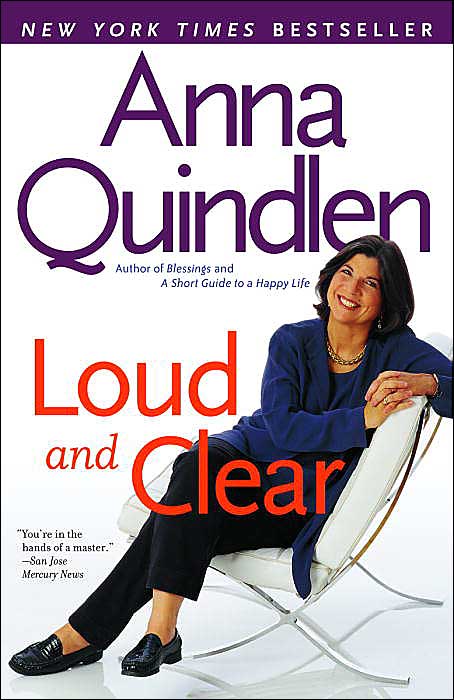
Above is from the preface of Loud and Clear, by Anna Quindlen, Ballantine Books; Reprint edition (March 29, 2005)

B. Below an exceprt from the same book about life - with 3 young children.

Chapter 1 "Heart" "Good-Bye Dr. Spock":

"But the biggest mistake I made is the one that most of us make while doing this. I did not live in the moment enough. This is particularly clear now that the moment is gone, captured only in photographs. There is one picture of the three of them sitting in the grass on a quilt in the shadow of the swing set on a summer day, ages six, four, and one. And I wish I could remember what we ate, and what we talked about, and how they sounded, and how they looked when they slept that night. I wish I had not been in such a hurry to get on to the next thing: dinner, bath, book, bed. I wish I had treasured the doing a little more and the getting it done a little less."


Thursday, April 19, 2007

Virginia Tech Tragedy - Resources, Responses - "Learning Cures Sadness" (90 seconds MP3)

1. Request from Sally Gilbert of TLT Group for resources in response to the tragedy at Virginia Tech this week; and
2. "Learning Cures Sadness" - Response from Steve Gilbert

Also see: Link to Web page for FridayLive! special session "Staying Sane - in Insane Times."

Email message from Sally Gilbert:
"We're all struggling to understand what happened at Virginia Tech this week and to do whatever we can to support our friends at Virginia Tech...

"We've started a web page to compile resources to share and which might also be helpful to others. http://www.tltgroup.org/VaTechresources.htm

"If you have something you'd like us to add to the webpage, please send it to Sally Gilbert
sallygilbert@tltgroup.org"

Or add your contribution (comment, question, reference or resource) as a comment to this posting - click on "comments" at the bottom of this posting, below. You do NOT need to have a Blogger account. You are welcome to add your name and contact information if you wish.

Steve Gilbert's response to Sally's request: "Learning Cures Sadness"
Here is one of my favorite quotations - about "Learning Cures Sadness." As one of Merlyn’s responsibilities for raising the boy who is destined to become the king of England, he advises the young King Arthur about coping with frustration and sadness. From T. H. White's The Once and Future King, Berkeley Medallion Edition, July, 1966, page 183.

For audio-narrated QuickTime version click here.
(Click here to download free QuickTime player.) There may be some delay while the file downloads. If nothing happens AFTER the slideshow appears on your screen, find and click on the "play" button beneath the slider control - beneath the slides.

See below for other media options. Here's the text:

"'The best thing for being sad,' replied Merlyn, beginning to puff and blow, 'is to learn something. That is the only thing that never fails.

You may grow old and trembling in your anatomies, you may lie awake at night listening to the disorder of your veins, you may miss your only love, you may see the world about you devastated by evil lunatics, or know your honour trampled in the sewers of baser minds. There is only one thing for it then--to learn.

Learn why the world wags and what wags it. That is the only thing which the mind can never exhaust, never alienate, never be tortured by, never fear or distrust, and never dream of regretting. Learning is the thing for you. Look at what a lot of things there are to learn--pure science, the only purity there is. You can learn astronomy in a lifetime, natural history in three, literature in six. And then, after you have exhausted a milliard lifetimes in biology and medicine and theocriticism and geography and history and economics--why, you can start to make a cartwheel out of the appropriate wood, or spend fifty years learning to begin to learn to beat your adversary at fencing.

After that you can start again on mathematics, until is it is time to learn to plough.'"


Choose Among 5 Versions:
These were produced almost automatically via LecShare Pro - which synchronizes MS PowerPoint slides with audio files - and YouTube and iTunes. Full audio is less than 5 minutes.

QuickTime Version (Click here to download free QuickTime player.)

  • You may experience some delay while the file downloads - time depends on speed of your Internet connection, etc.

  • If you do not see a slider control just beneath the slides, try a full-screen view option in your browser.

  • The slider control permits you to start/pause, skip a slide, etc.

  • If nothing happens AFTER the slideshow appears on your screen, see if there is another "play" button beneath the slider control. If there is, click on that "play" button to start the slideshow!

  • Just right of the slider control a slide title is usually displayed. If you click on that title you should see a list of all slide titles. You can click on ANY of those titles listed. Doing so will re-start the slideshow at the slide with the title you have selected.

YouTube Version (VERY similar to QuickTime version!); runs automatically on the YouTube Web site.

HTML Version

  • To see all of the controls and options you might need to scroll down or you may need Full Screen view from your browser.

  • You can and must control movement from one slide to the next or previous.

  • To hear the audio for a slide, click on "play".

  • This version may be the most useful for those who are dependent on using screen reader software.

MP3 Version

  • Audio only. Useful for creating podcasts.

  • You may experience some delay while the file downloads - time depends on speed of your Internet connection, etc.

MS Word Version

  • No audio

  • Suitable for printing - pictures of each slide.

  • Includes "lecture notes" - if any - embedded within PowerPoint slides by leader/presenter

  • Intended for reference or for writing notes while listening/watching some other version. Can write notes online via MS Word (or browser editing software?) or can print and write notes by hand.

  • Note that the images of each slide that appear in the Word document are pictures. They cannot be edited in the same ways that PowerPoint slides or Word text documents can be edited. Distributing only this version may ensure that any user will include citations, copyright info that appears on original slides and not change any slides - avoids potential for distortion or misrepresentation.

Friday, April 13, 2007

"Attending Genocide Conference" (4.5 Mins - Video)


Please watch/listen to "Attending Genocide Conference." (4.5 Mins - Video)


[Photo copied April 13, 2007, from "Portfolio - Being Human - Philosophy of Teaching: This, Too, Is Part of Being Human" by Kathleen Z. Young, Ph.D., Department of Anthropology, Western Washington University,

http://pandora.cii.wwu.edu/showcase2005/young/portfolio.htm]

This was one of first, and most provocative, responses to my request for examples of "clips" yesterday. It is embedded in a Website and related "portfolio" of materials that provide an excellent model for one way to extend the possibilities of a brief clip. By sending this sample I hope to prompt more of you to share clips and suggest different ways of using them.

This simply constructed videorecording is disturbing, perhaps profound. Young describes the atrocities of Srebrenica and her commitment to "not looking away." She ends with a hopeful explanation of new international responses to genocide. This clip is presented as her response to "Why did you take your students with you to the International Genocide Conference in Sarajevo?"

Please watch/listen to "Attending Genocide Conference" at:

http://pandora.cii.wwu.edu/showcase2005/young/showcase3.htm

First click on the above URL, then to begin this videorecording, click on the "play" (left-most) button on the control panel that appears beneath the viewing screen as shown here.

You may also need to increase the audio volume or listen carefully. It is worth it!


Please don't be intimidated by this example. We need to find a wide range of useful models. Far below in this message, I include links to a few other valuable examples that are much simpler. I hope more of you will be encouraged to share your first modest efforts! We need the LTA approach to 5-minute clips and hybrid workshops!

In four and a half minutes Kathleen Z. Young of Western Wash. U. calmly describes how she came to take a group of "… students to travel to Bosnia with me to attend an international conference on genocide in Sarajevo and participate in the excavation of a mass grave and the Muslim mass funeral and reburial of 600 of the 8,000 Bosniaks killed in the United Nation's 'safe haven' of Srebrenica in 1995."

You can go deeper into this experience and learn more about Young's teaching and the responses of some of her students by visiting other parts of this extraordinary Web-based "portfolio".

Student Reflections (about Genocide Conference trip - includes photos):

http://pandora.cii.wwu.edu/showcase2005/young/student_reflections.htm

Student Comments about Young as teacher:

http://pandora.cii.wwu.edu/showcase2005/young/student_comments.htm

Student Essay - text + photos - "Because I was There" - response to trip to Genocide Conference:

http://pandora.cii.wwu.edu/showcase2005/young/becauseiwasthere.htm

Excerpt from Young's website:

"The first time I taught the class on Islam and Conflict in Europe it was as an unpaid labor to prepare interested students to travel to Bosnia with me to attend an international conference on genocide in Sarajevo and participate in the excavation of a mass grave and the Muslim mass funeral and reburial of 600 of the 8,000 Bosniaks killed in the United Nation's 'safe haven' of Srebrenica in 1995. From the conference in Bosnia, the students traveled with me to Den Hague in The Netherlands and attended the trial of the Slobodan Milosevic. Students went with me to the new International Criminal Court, also in Den Hague, to meet with a judge on the new court and discuss the importance of anthropology in ending the impunity of the rogue actions of leaders committing genocide and crimes against humanity and helping the weak and victimized have a forum to speak their truths."

_______________________________________________

Comment added to TLT-SWG Blog Posting April 12, 2007

From Karen Casto, Director, Center for Instructional Innovation, Western Washington University, Karen.Casto@wwu.edu

At the Center for Instructional Innovation at Western Washington University we have been using the concept of short videos as part of our innovative teaching showcase published on the web each year since 1999. In past years the showcases have a theme, with last year's being "educating global citizens". We create both written and video materials for these showcases and our goal is for both faculty at our institution and faculty from around the world to be able to use this resource.

Last year for the first time we used Google to host our videos, in part because we had an ever changing campus video environment, but mostly because Google provides statistics for each video, and also allows users to download the videos, search for appropriate videos, and use them for their own purposes.

The two highest rated and most viewed and downloaded, according to Google, from last year can be seen at:
Teaching Russian [2 Mins 53 Seconds - teaching basic Russian by speaking (almost) only Russian from very first class session + other suggestions - SWG]

Inviting class to accompany teacher who was invited to give a paper at international conference about/at memorial to srebendsa genocide; description of what happened at the conference and roles and responses of students
Attending Genocide Conference

The full showcase can be seen at 2005-06 Innovative Teaching Showcase

http://pandora.cii.wwu.edu/showcase2005

These videos are all made here at the teaching/learning center, mostly by students.